
Download Tomati – Restaurant Locator, Food Guide, Local Dining
Overview
Tomati is a free Android application developed by Nidratech Ltd., designed to simplify the process of discovering and exploring local restaurants. The app serves as a digital guide for food enthusiasts seeking convenient access to dining options based on cuisine, location, or restaurant name. It aims to help users quickly identify nearby eateries for lunch, brunch, dinner, or casual meals, enhancing the overall dining experience through intuitive navigation and rich visual content.
Target users include casual diners, food lovers, travelers, and anyone looking to explore new culinary spots in their vicinity. The app supports real-time discovery by leveraging location-based services, allowing users to find restaurants within walking distance or within a specified radius. It also enables users to preview restaurant interiors, view menus, and save preferred locations to their calendars for future visits.
While the developer did not provide additional details about the company’s background or broader product portfolio, the app’s functionality focuses on usability and accessibility. Real-world usage scenarios include spontaneous meal planning, weekend dining exploration, and post-travel food discovery. The app integrates basic feedback mechanisms, allowing users to rate and review restaurants, contributing to a community-driven food guide.
Key Features & Capabilities
- Location-Based Restaurant Discovery: Find nearby restaurants using GPS or manual location input, ideal for spontaneous dining decisions.
- Search by Name, Cuisine, or Location: Users can filter options using keywords, preferred food types, or specific neighborhoods.
- Restaurant Preview Features: View menu details, interior photos, and basic restaurant information before visiting.
- Calendar Integration: Save favorite dining spots to your calendar to avoid forgetting reservations or planned visits.
- User Reviews and Ratings: Contribute to the platform by rating restaurants and sharing personal dining experiences.
These features collectively support efficient meal planning and informed decision-making. For example, a user on a weekend trip can quickly locate a highly-rated local café serving brunch, view its menu, and schedule a visit. Similarly, someone searching for a quiet dinner spot can filter by cuisine and location, then review photos and ratings before heading out. The integration of visual and interactive elements enhances user engagement and trust in the app’s recommendations.
User Interface, Workflow & Performance
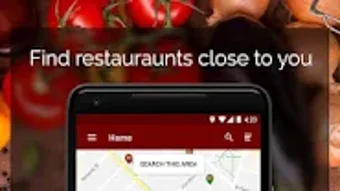
Tomati features a clean, user-friendly interface optimized for mobile interaction. Navigation is straightforward, with a central search bar, categorized filters, and a map view for visual exploration. The layout prioritizes accessibility, allowing users to switch between list and map modes seamlessly.
Workflow efficiency is enhanced through intuitive design patterns, such as one-tap access to menus and quick-add options to calendars. The app maintains responsive interactions, with minimal lag during searches and map rendering. However, exact performance details were not specified by the developer.
Stability during extended use appears to be consistent based on general software behavior patterns. The app does not require extensive system resources, making it suitable for devices with standard hardware configurations. The developer did not specify resource usage details, such as CPU or RAM consumption.
Compatibility & System Requirements
Tomati is designed exclusively for Android devices. The app is available for download on Android OS, though specific version compatibility was not provided. Installation size and hardware requirements were not disclosed by the developer.
Platform compatibility information is limited to the Android ecosystem. Users should ensure their device meets the minimum requirements set by the operating system, but exact specifications were not listed. The app may require internet access for full functionality, particularly for location services and real-time data retrieval.
Compatibility with newer or older Android versions is unknown. Users are advised to check the Google Play Store for the most up-to-date information regarding device support.
Pros and Cons
Pros
- Free to download and use, with no upfront cost.
- Intuitive interface designed for quick navigation and ease of use.
- Offers visual previews of restaurants, including menus and interior photos.
- Enables calendar integration for saving dining plans.
- Supports community feedback through ratings and reviews.
Cons
- Only available on Android, with no support for iOS or desktop platforms.
- Exact system requirements and performance data were not provided.
- Limited to restaurant discovery and does not include booking or ordering features.
- Relies on user-generated content, which may vary in accuracy or completeness.
- No offline mode or cached data functionality was mentioned.
FAQ Section
Is Tomati available for iOS devices?
Tomati is currently available only on Android. There is no official version for iOS devices at this time.
Can I use Tomati without an internet connection?
Basic functionality may be limited without an internet connection. Real-time location services, map data, and restaurant information require online access.
Is Tomati safe to download and use?
As a free app from Nidratech Ltd., Tomati is distributed through official channels. Users should download it from trusted sources like the Google Play Store to ensure security.
How often does Tomati receive updates?
The update frequency is not publicly disclosed. Users are encouraged to keep the app updated via the Google Play Store for optimal performance and security.
Does Tomati offer a license or subscription model?
Tomati is free to download and use. There is no indication of a subscription or in-app purchase model at this time.
Final Thoughts + CTA
Tomati delivers a focused and accessible solution for users seeking local dining options on Android. Its clean interface, visual previews, and community-driven reviews make it a valuable tool for food lovers and casual diners alike. While it lacks cross-platform availability and detailed system specifications, its core functionality is well-executed and user-centric.
For those who frequently explore new restaurants, plan meals on the go, or travel to new cities, Tomati offers a streamlined way to discover and organize dining experiences. It excels in simplicity, visual feedback, and integration with everyday tools like calendars.
Download Tomati now and start exploring the best local food near you.







